
Quickly find the right replacement filter – with your serial number
Enter the serial number (or machine number) of your unit. We’ll assign the compatible filters and send you a non-binding offer shortly.
- Accurate identification via serial or machine number
- Original quality & compatible alternatives
- Fast offer creation – transparent & non-binding
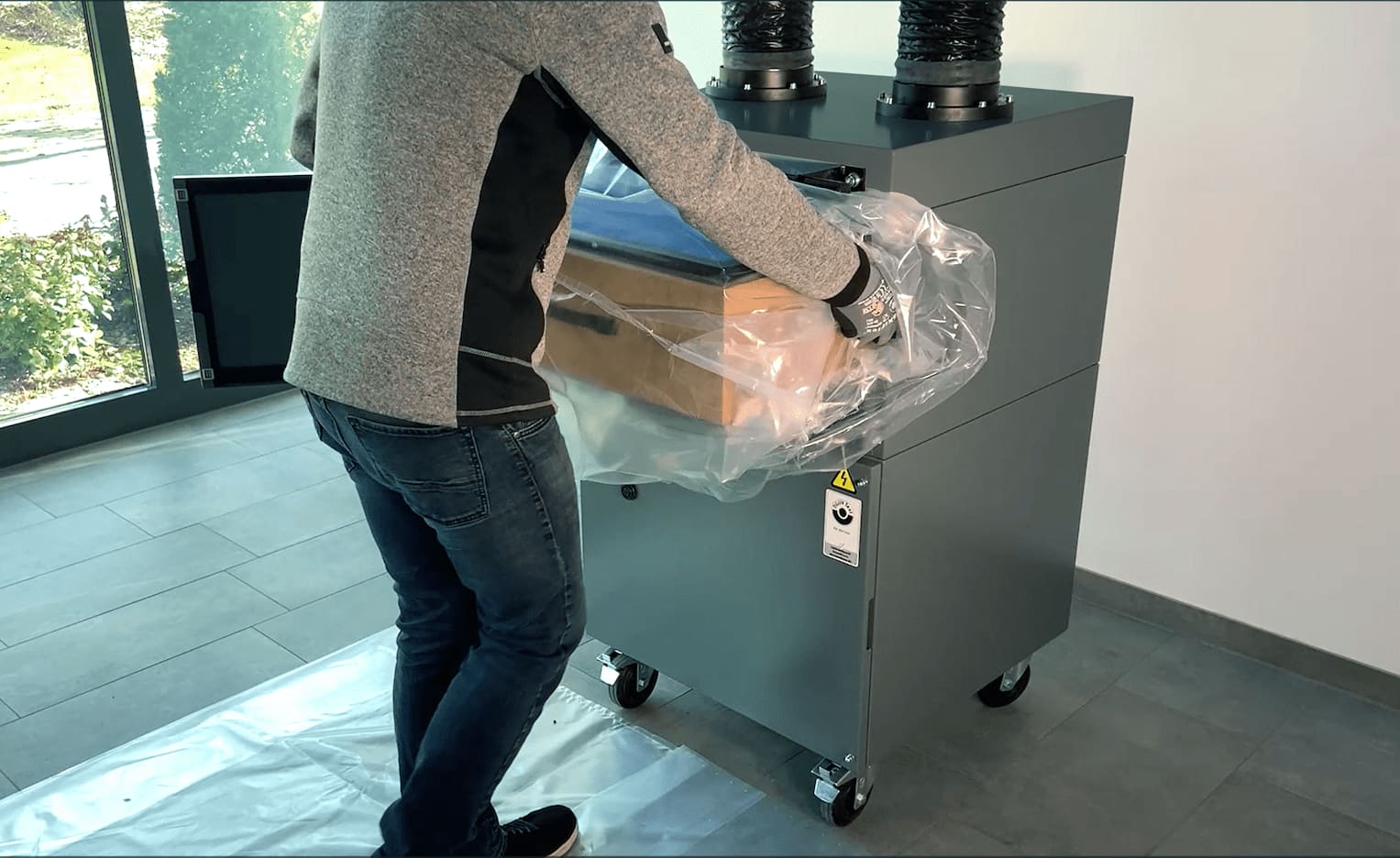
Get your matching replacement filter in just a few steps
1) Enter the serial number
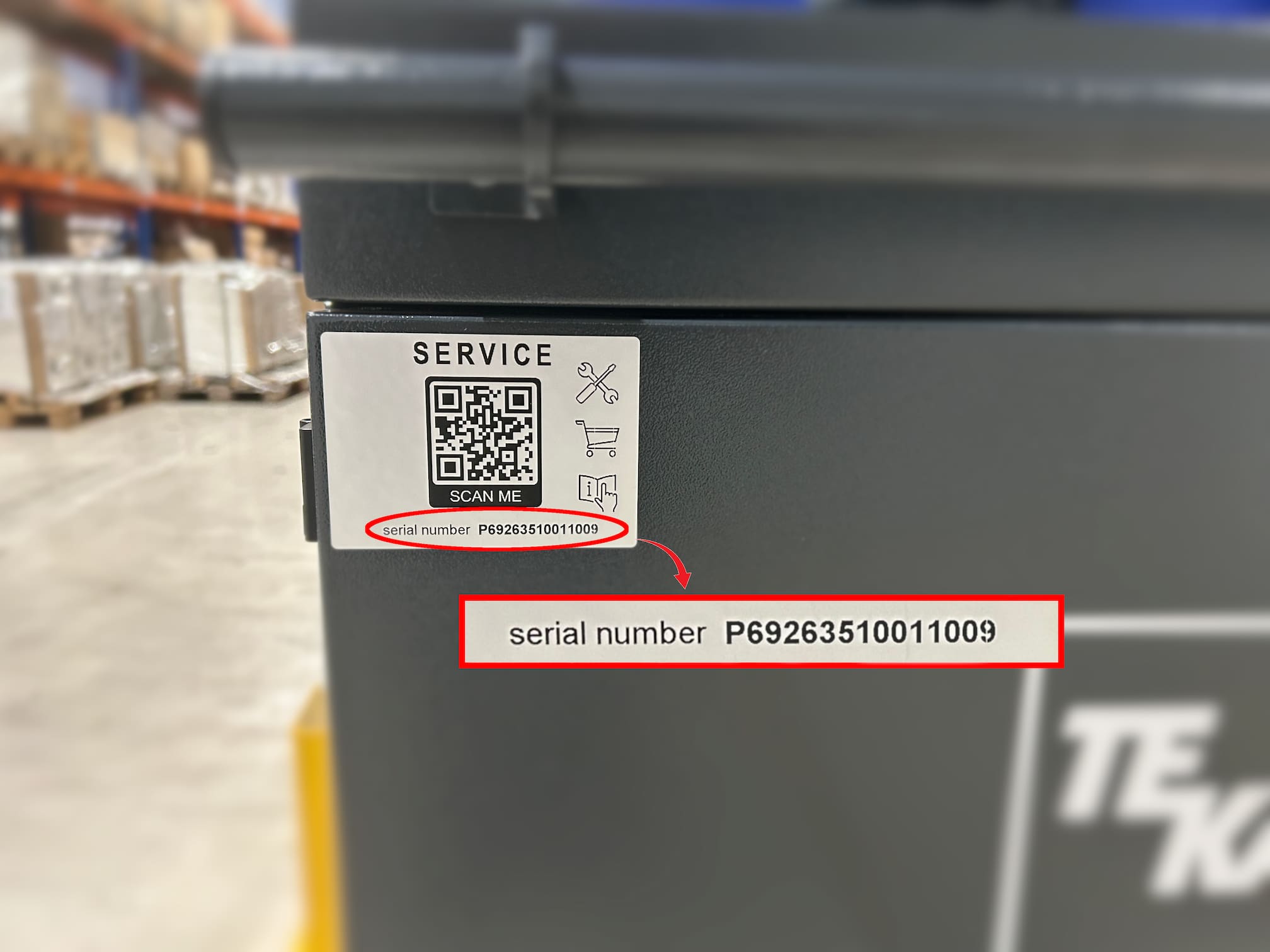
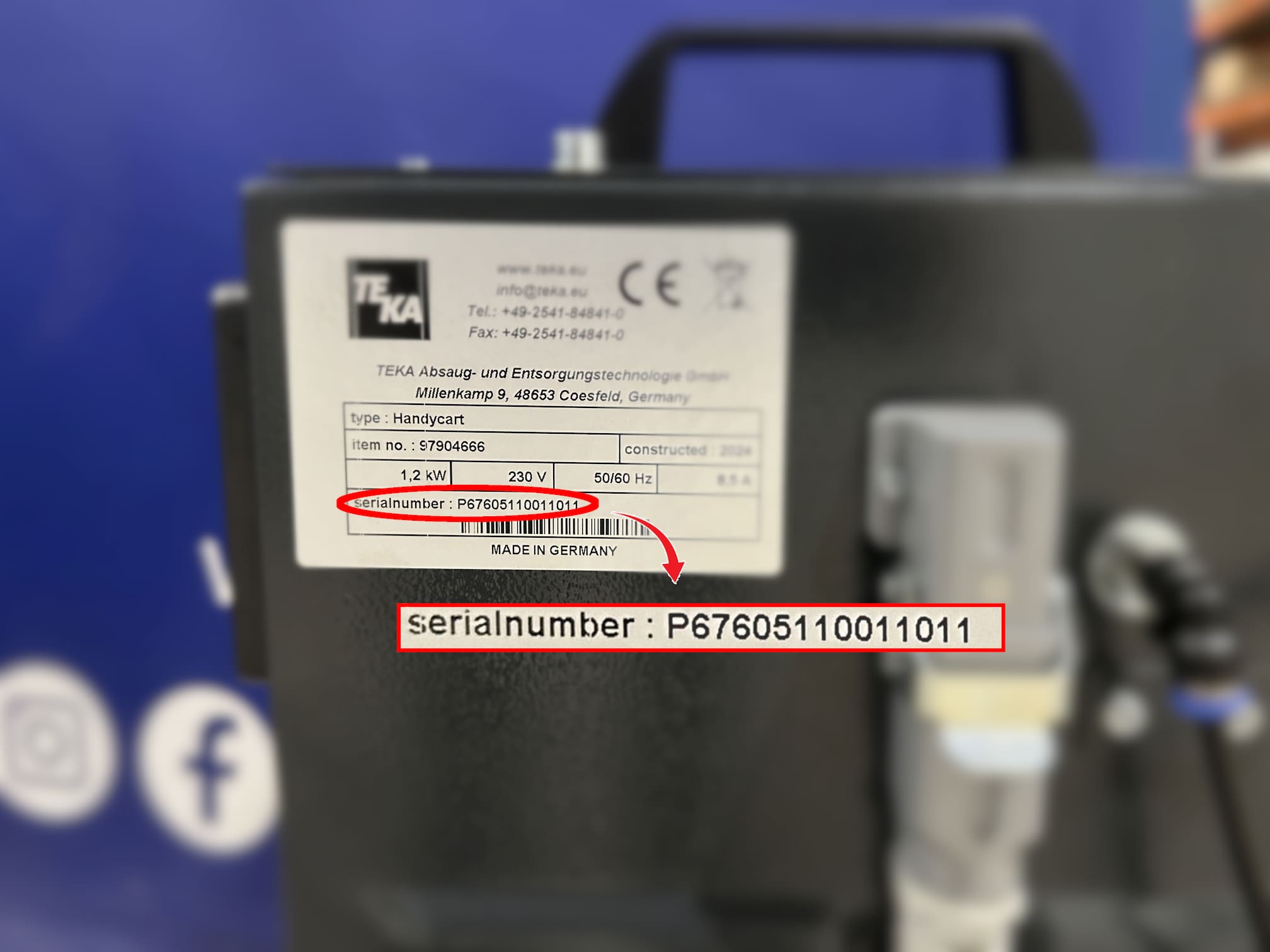
- Enter the serial number of your unit – it can be found on the nameplate or on the QR code on the system
- The serial number is identical to the machine number
- This unique number allows TEKA to precisely identify your system
2) Receive your quotation
- Non-binding quotation – usually within one working day
- Clear details on price, delivery time and filter type
- Personal consultation from our service team upon request
3) Place your order & receive delivery
- After your approval, the order will be processed immediately
- You will receive a written order confirmation by e-mail
- Filter shipment usually takes place within one working day
Did you know? — QR code service specifically for your systems
New TEKA systems are fitted with a QR code. This lets you access system-specific services directly – e.g., the right replacement filters, maintenance contracts, or a warranty extension.
- The system is recognized automatically
- Matching services for this model
- Request without searching for documents
Where can I find the serial number?
The serial number of your system is located on the type plate on the rear side. In addition, a QR code sticker is attached to the front side of your system, which allows you to access the relevant service information directly.
Note: This form is intended only for inquiries where a
serial or machine number is available.
Please do not enter a product name or article number.
If you do not have the number, please use our
contact form
.