
Operating Manual by Serial Number
Please enter the serial number of your TEKA unit. We will assign the corresponding documentation and send you the download link promptly by email.
- Unique identification via serial number
- Original manufacturer document (PDF)

Your manual in three simple steps
Enter serial number
- Enter the serial number of your unit
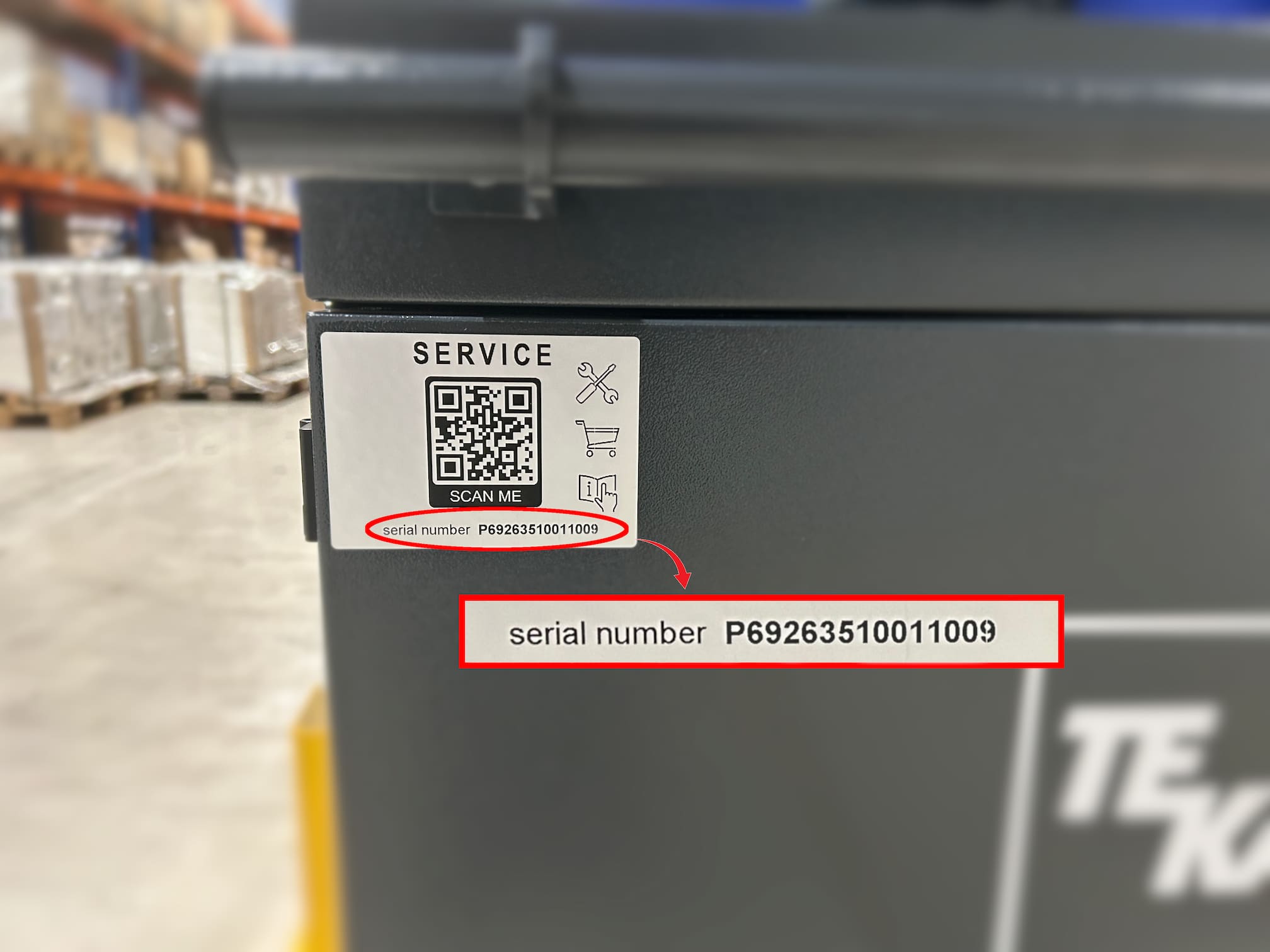
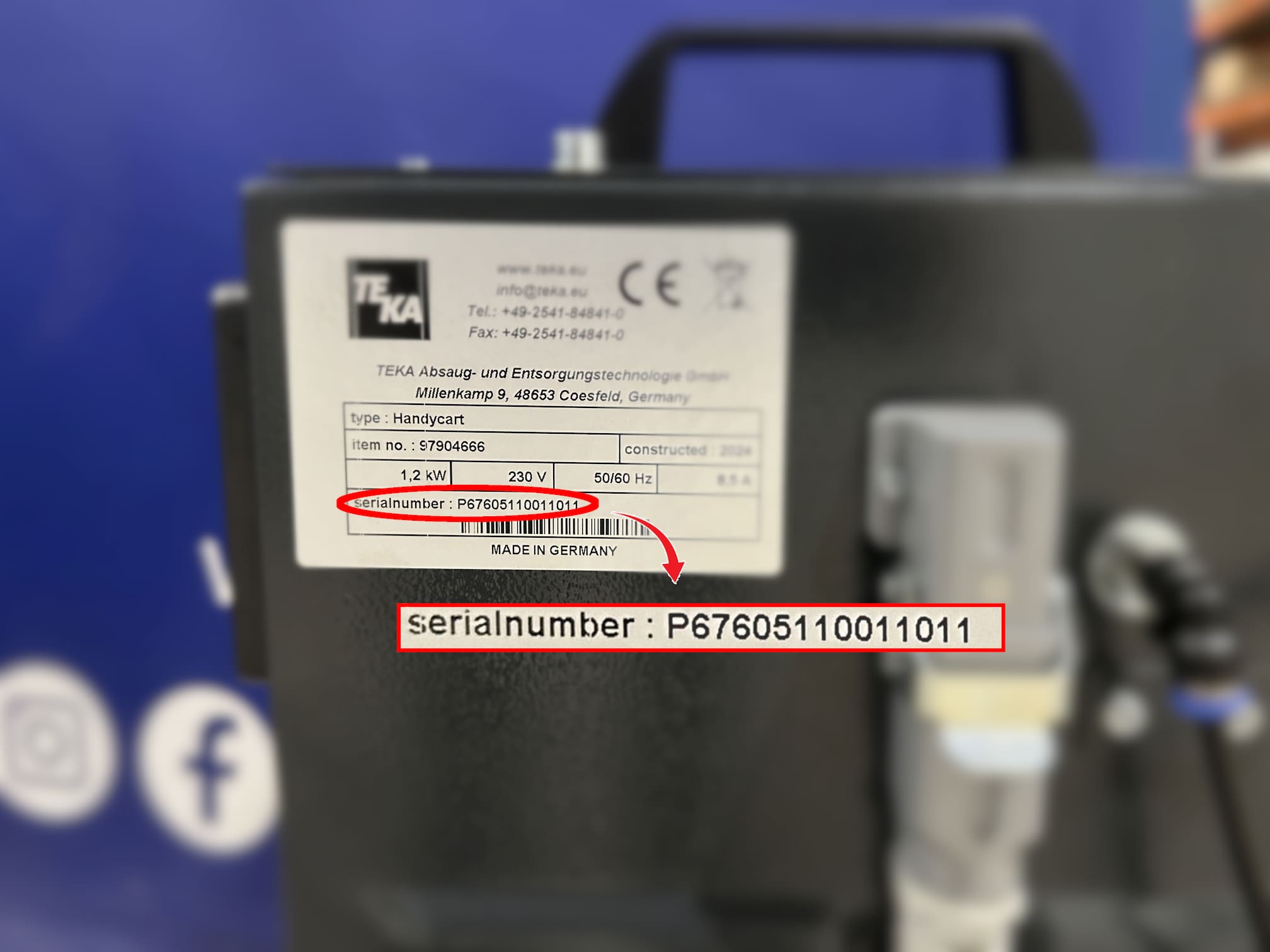
- The number is located on the nameplate or QR code
- Enables clear identification of your unit by TEKA
Verification by TEKA
- Identification of the correct unit type
- Cross-check with the appropriate documentation
- Contact in case of questions for identification
Receive your manual
- Manual sent by email
- Format: PDF document
- Delivered quickly
(processing may take longer for OEM units or custom-made systems)
Did you know? — QR code service specifically for your systems
New TEKA systems are fitted with a QR code. This lets you access system-specific services directly – e.g., the right replacement filters, maintenance contracts, or a warranty extension.
- The system is recognized automatically
- Matching services for this model
- Request without searching for documents
Where can I find the serial number?
The serial number of your system is located on the type plate on the rear side. In addition, a QR code sticker is attached to the front side of your system, which allows you to access the relevant service information directly.
Note: This form is only intended for requests with an existing
serial number.
Please do not enter a product name or article number.
If you do not have the number, please use our
contact form.